
Before you start
Use a site you own or have permission to test. A separate Chrome profile keeps test sessions away from everyday browsing. Note the original value before making a change.
Install EditThisCookie v3, review its permissions and pin it from Chrome’s Extensions menu. Check that you are on the listing linked from editcookie.com.
1. Open the right website
Navigate to the website and wait for it to load. Select the extension icon to inspect its cookie list. Browser settings and store pages can restrict extensions, so use a regular website.
If the list is empty, reload and check the extension’s site access. Some websites do not set cookies until you interact with them.
2. Make one intentional edit
Find the cookie name and expand its row. On a test site with a theme preference, change light to dark, then click the green checkmark at the bottom to submit your changes. Use a value your application recognizes; not every site uses this name.
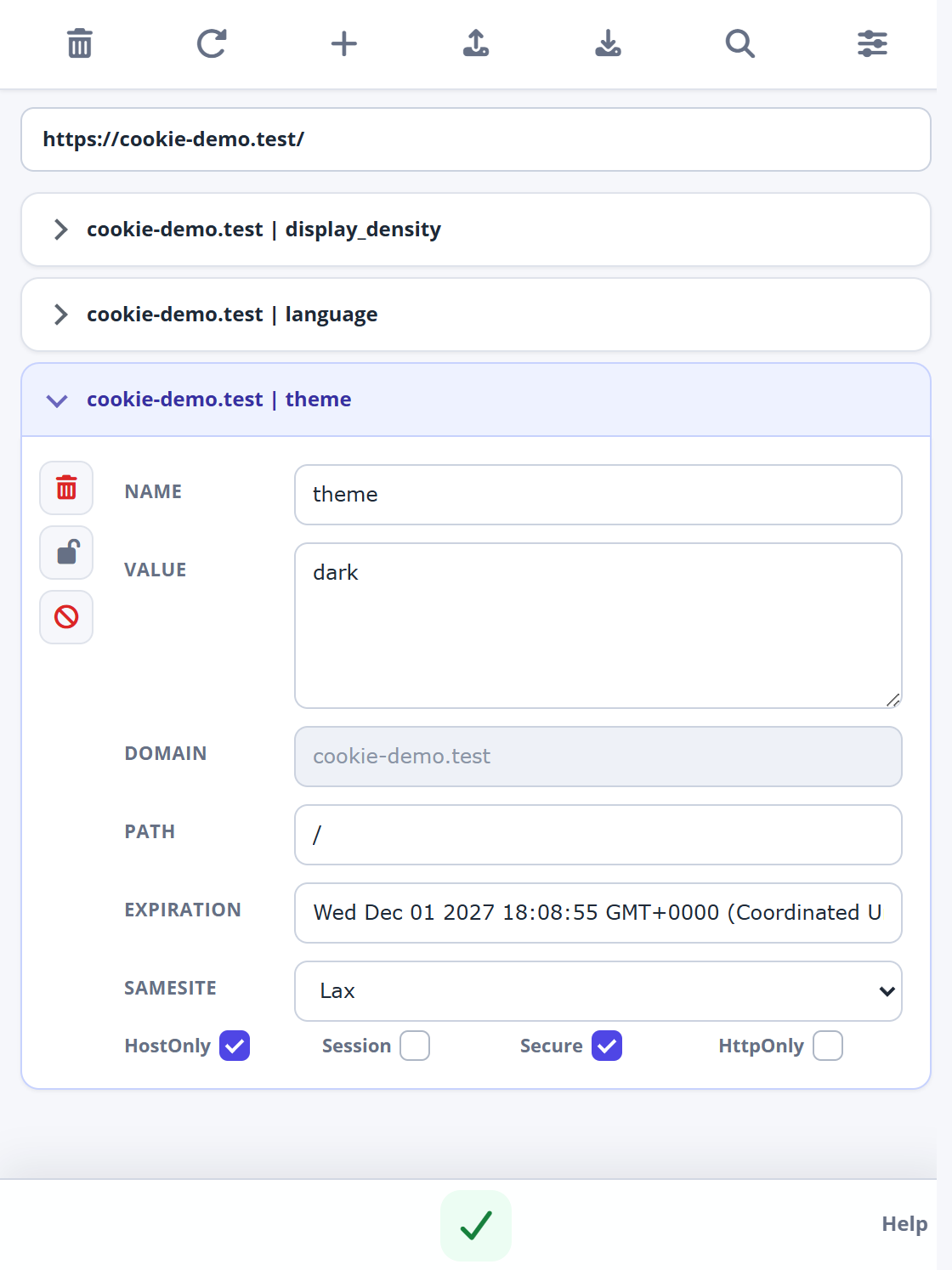
Check domain and path when two cookies share a name. Change the intended one.
3. Check the result
Refresh your test page and observe its behavior. Reopen the extension to check whether the edit stayed in place. If it changed back, the application may have written it again.
For an independent check, open Chrome DevTools and select Application → Storage → Cookies, then choose the site. Compare the name, value and scope.
4. Remove or restore a cookie
To test the absence of a setting, delete the relevant cookie and reload. Removing session information may sign you out. Undo an edit by re-entering the original value you recorded; reloading does not necessarily undo it.
For a larger test setup, see how to export a snapshot. Use test accounts for authentication experiments.