
See it. Change it. Done.
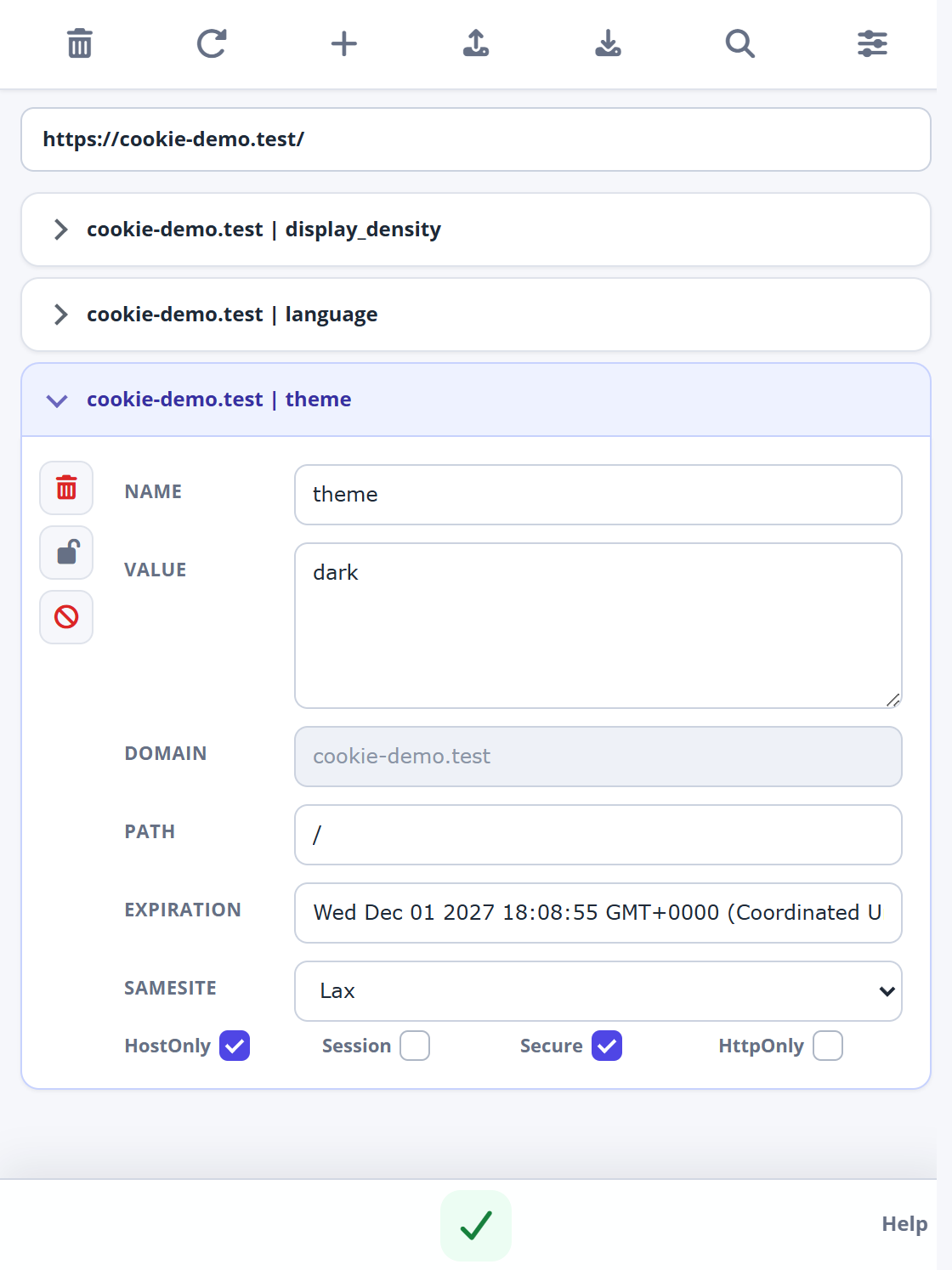
Find the cookie you need, inspect its value and make your edit. Add a test cookie or remove an outdated one from the same place.
- Name & value
- Domain & path
- Expiration & SameSite
- Secure, HttpOnly & session flags
View, add, edit and delete website cookies. Import and export four cookie formats, choose a light or dark theme, and manage protection and blocking rules.
One small extension.
Plenty of possibilities.
Use the popup to work with a website’s cookies, and Options to choose how the extension behaves.
Find the cookie you need, inspect its value and make your edit. Add a test cookie or remove an outdated one from the same place.
Import or export JSON, Netscape, name=value pairs and Perl::LWP. Paste text or select a JSON/TXT file to import; download or copy to export.
Mark a cookie as read-only, or add a blocking rule based on its domain, name or value.
Search the cookie list and get straight to the detail you need.
Choose Light, Dark or Follow system in Options. Keep the extension in the appearance that works for you.
Real screenshots from the supplied v3.0.5 build, using sample cookies. Open any image to see it at full size.
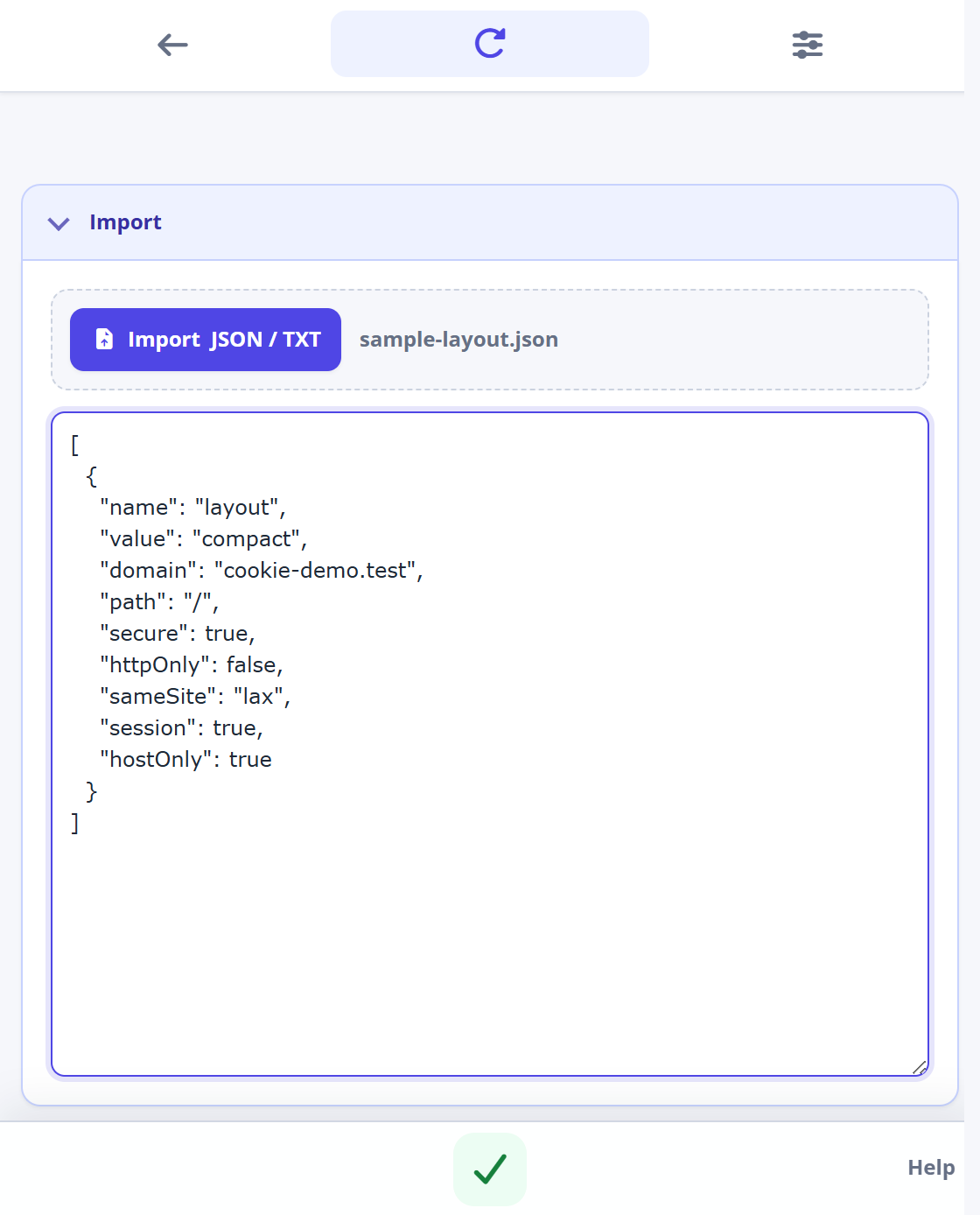
Paste cookie text or choose a JSON/TXT file. Review its contents, then use the green checkmark to apply the import.
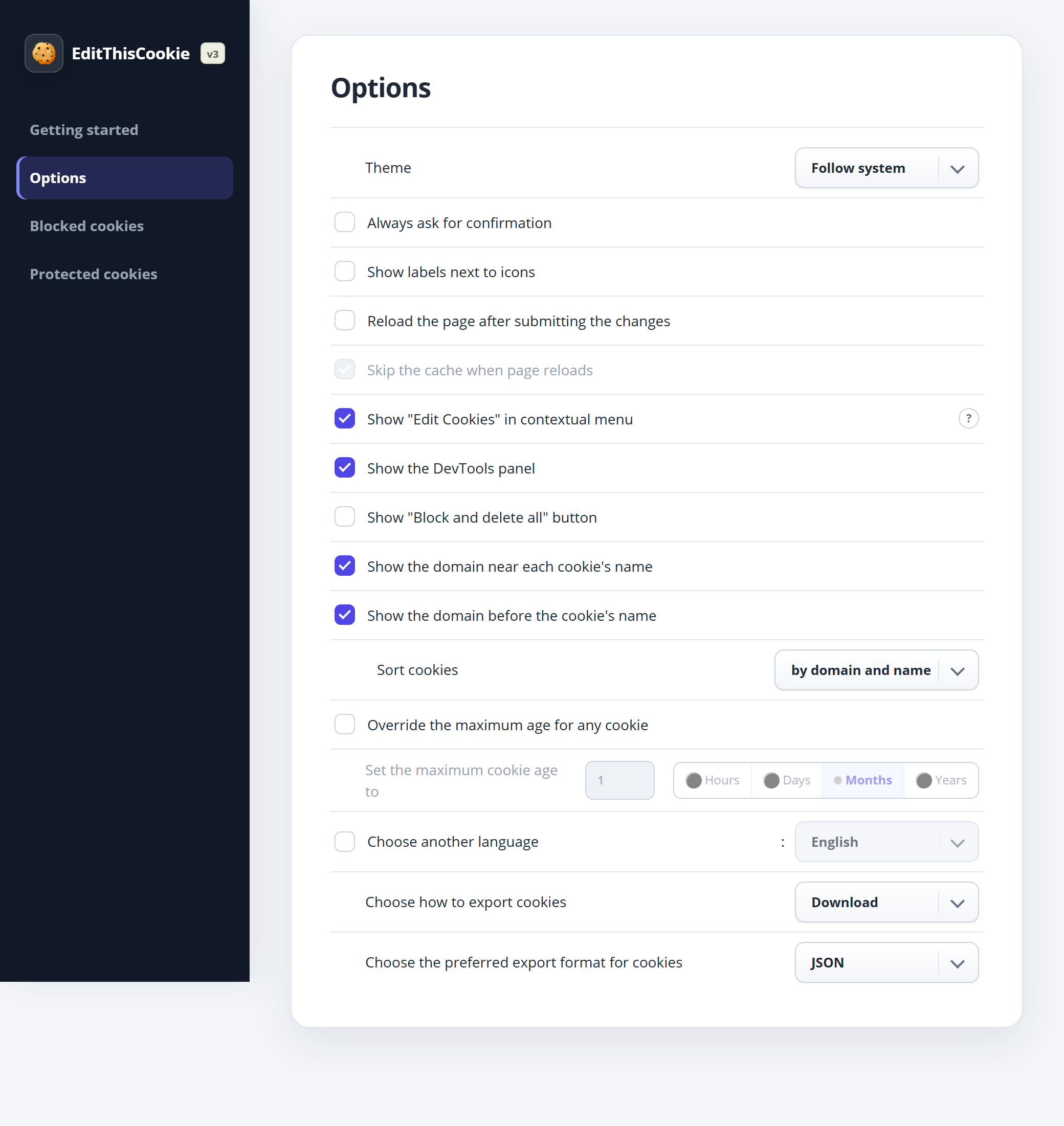
Choose the theme, export action and format, cookie sorting, command labels and other preferences.
The same cookie controls, in the appearance you choose. Select Dark or Light in Options, or use Follow system to respond to your device’s color preference.
Set your theme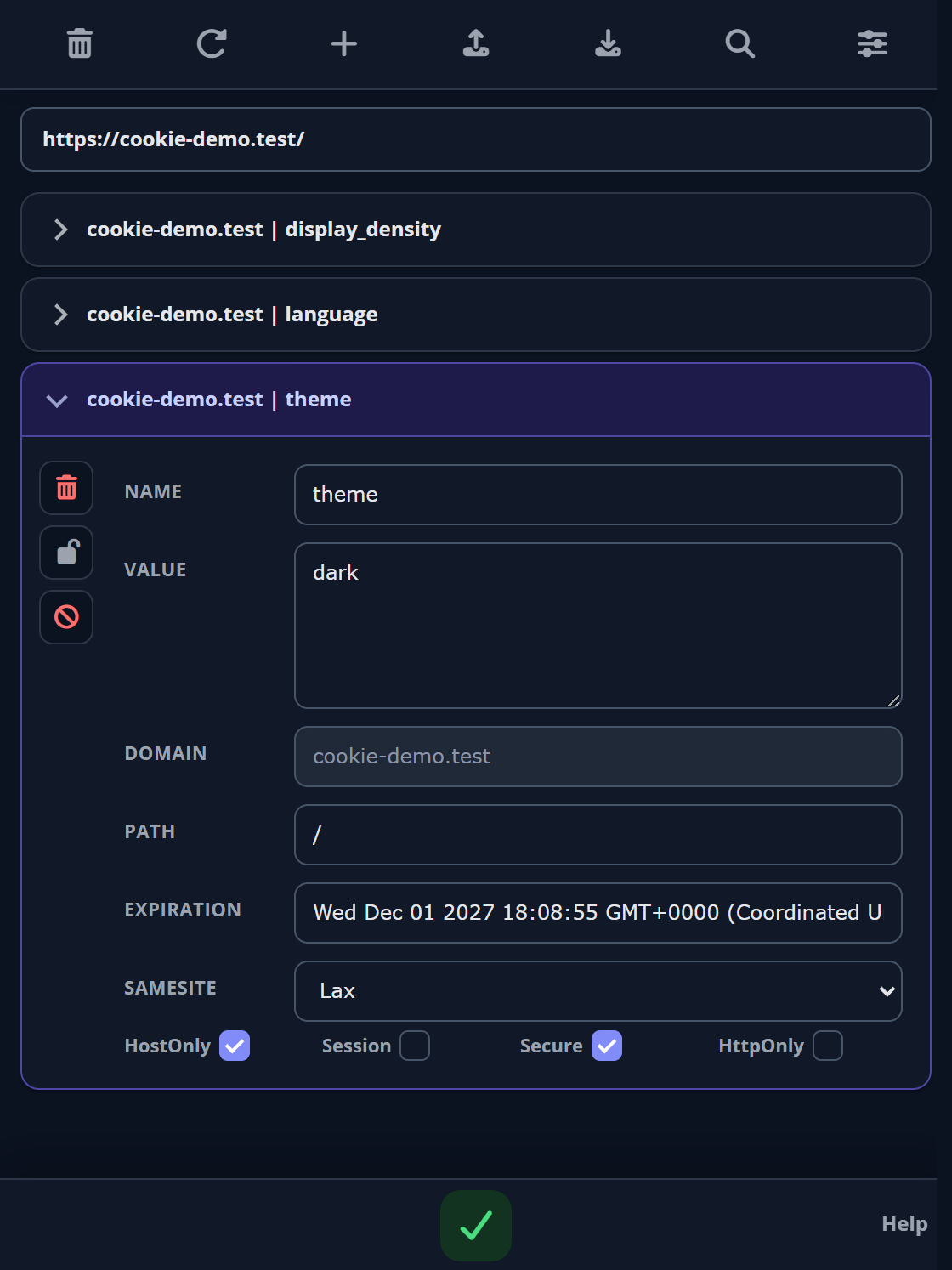
Shown: EditThisCookie (V3) 3.0.5 · Manifest V3 · Chrome 119+ required by this build. The store listing shows the currently published release.
Your next debugging session starts here.
Install from the Chrome Web Store and pin EditThisCookie to your toolbar.
Get the extensionVisit the page you want to inspect, then click the cookie icon in your toolbar.
Right where you’re already working.Expand a cookie, change its fields and use the green checkmark to save. Refresh the website to check the result.
Follow the walkthroughCookies do a lot behind the scenes.
Bring them into the picture.

Inspect values while debugging sign-in, preferences and application state.
Reset a test scenario, change a preference and reproduce a browser state.
Understand what a website stores and remove cookies you no longer need.
From your first click to your first edit. A practical walkthrough.
Read the guideImport files or text in four formats and export a test snapshot.
Read the guideMake sense of domains, paths, expiration and security flags.
Read the guideA Chrome cookie manager for viewing and changing website cookies, with editing, search, import, export, protection and blocking tools.
Open the official Chrome Web Store listing in desktop Chrome, choose Add to Chrome and review the permissions. Pin it from Chrome’s Extensions menu.
Yes. They were captured from the supplied v3.0.5 extension running in Chromium with sample cookies on cookie-demo.test. The website itself does not read or edit your browser’s cookies.
Yes. The reviewed build imports and exports JSON, Netscape HTTP Cookie File, semicolon-separated name=value pairs and Perl::LWP. Import detects the format from pasted text or a selected JSON/TXT file. For exports, choose Download or Copy to clipboard in Options. Keep files private: they can contain session information. See the import and export guide.
Yes. In the extension, open Options → Theme and choose Light, Dark or Follow system. Follow system is the default in the reviewed build. Reopen the popup after changing the setting. See the appearance guide.
The extension requests cookie and tab access across websites. The reviewed v3.0.5 build also reports browsing activity, including page URLs and a generated identifier, to an analytics endpoint. Read the extension data-use details and the store disclosures before installing.
The site may set it again on its next request, or an extension protection rule may restore it. A cookie with the same name can also exist under another domain or path. Check its scope and the Protected cookies list.
It can. Removing a session cookie may sign you out; removing a preference cookie may reset settings. Change one cookie at a time when troubleshooting.
Visit support, read the privacy overview or email [email protected].
Bring a little more control to your browser.
Add to ChromeAvailable on the Chrome Web Store